

Parking Lot Design and Layout Guide
Standard dimensions, ADA requirements, drive aisle widths, parking angles, and equipment placement for revenue collection. A free planning resource from Parking BOXX — manufacturer of parking control systems for North America.
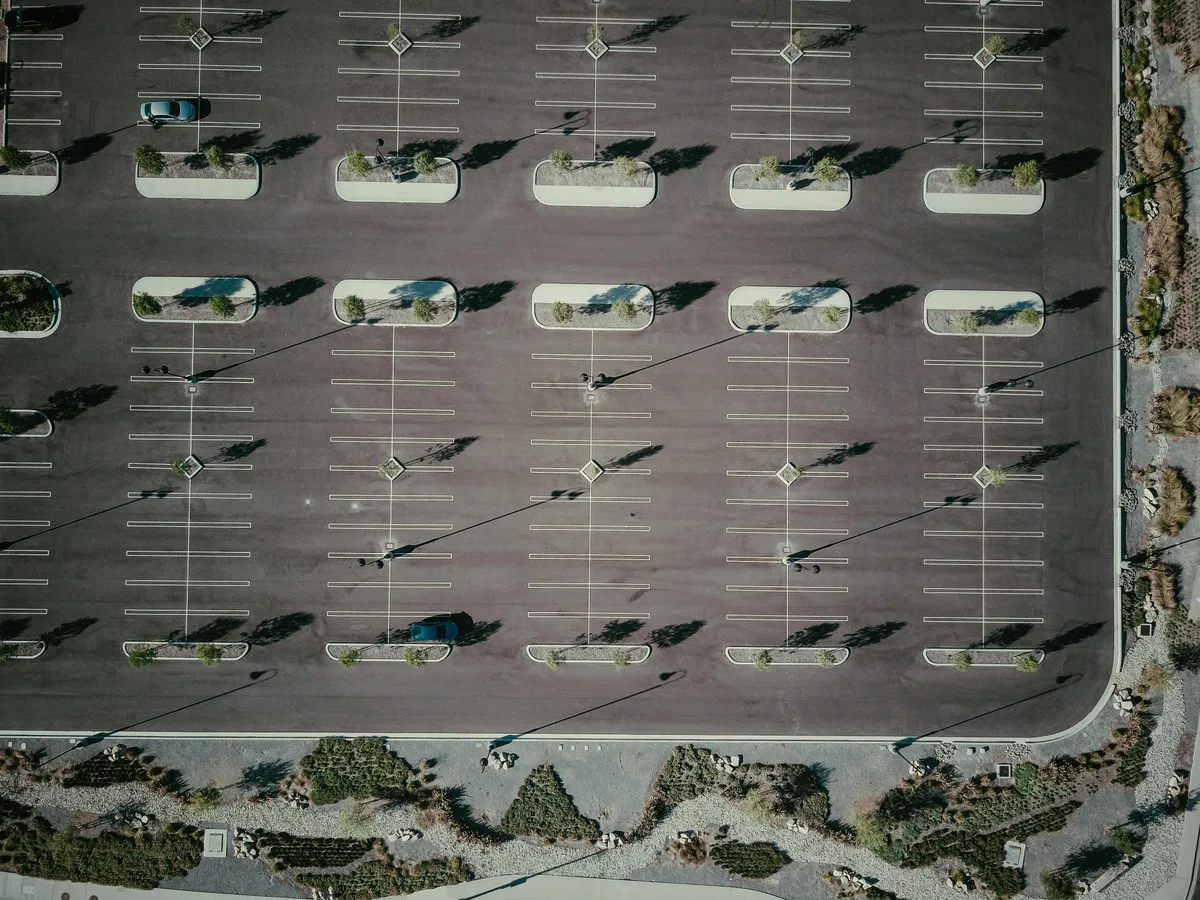
Design for revenue from day one.
Whether you are building a new parking lot, expanding an existing one, or upgrading a free lot to paid parking, the layout decisions made at the design stage determine your long-term revenue potential, operating costs, and customer experience. Getting parking space dimensions, drive aisle widths, ADA accessibility, and equipment placement right from the start saves time and money — retrofitting a parking lot for revenue equipment after construction is significantly more expensive than building it in from the beginning.
Parking BOXX provides parking system layout drawing packages with every project order — island dimensions, machine positions, bollard placement, and conduit/cabling specs for your specific configuration. We strongly recommend incorporating these into your construction documents before applying for permits. Request a free consultation or call 1-800-518-1230.
Parking Lot Design: Step by Step
To design a parking lot, define who will park and how long, confirm local zoning rules, survey the site, choose a parking angle and aisle layout, map traffic flow and pedestrian routes, place ADA stalls, plan entry and exit lanes for gates and pay stations, then finish drainage, lighting and striping before permitting.
- 1
Define who parks and for how long
Turnover drives almost every later decision. Short-stay retail and medical lots favor angled stalls and easy circulation; all-day office, airport and residential lots favor 90-degree stalls for maximum capacity. Note the vehicle mix too — trucks, RVs and vans need wider stalls, lanes and clearances. Decide now whether the lot will charge for parking, today or later.
- 2
Confirm zoning and code requirements
Your municipality sets the minimum (and sometimes maximum) number of spaces, stall and aisle sizes, setbacks, landscaping, lighting and stormwater rules. The ADA sets the accessible-space count, and the fire code sets fire-lane width and clearance. Collect these first — they define how much of the site you can actually use.
- 3
Survey the site
Start from a boundary and topographic survey showing grades, existing utilities, drainage paths, trees and where the site meets the street. Cities often limit how close a driveway can sit to an intersection, so confirm where entrances and exits are allowed before you lay out a single stall.
- 4
Choose the parking angle and aisle layout
A 90-degree layout with stalls on both sides of a 24 ft two-way aisle is the most space-efficient: one module (18 ft stall + 24 ft aisle + 18 ft stall) is about 60 ft wide. Angled stalls with one-way aisles suit narrow sites and high turnover. See the parking angle table and drive aisle widths below.
- 5
Map traffic flow and pedestrian routes
Separate entry from exit where you can, keep queues off the street, avoid dead-end aisles, and run aisles parallel to the long side of the site. Lay out walkways from the stalls to each building entrance so pedestrians cross as few drive aisles as possible.
- 6
Place ADA-accessible stalls
Put accessible and van-accessible stalls on the shortest accessible route to each entrance, with level access aisles (1:48 maximum slope) and curb ramps. The accessible route should not run through a gated vehicle lane. Stall sizes and required counts are in the ADA section below.
- 7
Plan entry and exit lanes for revenue equipment
Size lanes at 10–12 ft, build equipment islands, leave at least 50 ft of queue space, and stub power and data conduit to every island before paving. This is where Parking BOXX barrier gates, ticket machines, LPR cameras and pay stations go. Even an ungated lot needs a plan for pay stations and pay-by-app signage.
- 8
Finish drainage, lighting, striping and permits
Slope the surface 1–2% toward drains or bioswales, set light poles in landscape islands rather than in stall lines, and reserve snow storage in cold climates. Then stripe stalls, arrows and crosswalks, add signage, and fold the Parking BOXX equipment layout drawings into your construction documents before you apply for permits.
Parking Facility Design Considerations
Parking facility design comes down to six considerations: circulation and traffic flow, stall angles and dimensions, ADA-accessible stalls and routes, drainage, lighting, and entry and exit lanes sized for revenue equipment. Each one affects capacity, safety and operating cost, and each is far cheaper to get right on the drawings than to fix after paving.
Circulation and traffic flow
- Two-way aisles of 24 ft for 90° stalls; one-way aisles of 11–18 ft for angled stalls
- No dead-end aisles — every aisle leads back to circulation or an exit
- Separate entry and exit points, set back from street intersections per local driveway rules
- At least 50 ft of stacking between the gate and the street (75–100 ft for airports, hospitals and venues)
Stall angles and dimensions
- Standard stall 9 × 18 ft; compact 7.5–8 × 15–16 ft; truck 10–11 × 20–22 ft
- 90° gives the highest density; 60° and 45° are easier to park in for high turnover; 30° fits narrow sites
- A double-loaded 90° module is about 60 ft wide
- Use angled stalls or transition space next to equipment lanes — see the angle table
ADA-accessible stalls
- 8 ft stall + 5 ft access aisle; van stall 11 ft + 5 ft aisle, or 8 ft + 8 ft aisle
- At least 1 in 6 accessible stalls must be van-accessible; the count scales with lot size
- Shortest accessible route to each entrance, 1:48 maximum slope
- Pay station controls 15–48 in above the ground; pay-by-app parking gives drivers another way to pay without reaching a machine
Drainage
- 1–2% minimum surface slope to prevent standing water
- Accessible stalls and aisles no steeper than 1:48 (about 2%) — grade the drainage around them
- Send runoff to drains, retention areas or bioswales, away from entrances and walkways
- Keep low points and inlets out of gate lanes and away from equipment islands and loop detectors, so water and ice do not collect where drivers stop
Lighting
- IES baseline for open lots: about 0.2 footcandles minimum on the pavement, about 0.5 fc where security is a priority
- Uniformity of 20:1 max-to-min or better (15:1 for enhanced security); check local light-trespass limits
- Light entry and exit lanes, islands and pay stations more brightly so screens, plates and pay-by-app signs are readable at night
- Set poles in landscape islands, not stall lines, and clear of snow-plow paths
Entry and exit lanes and equipment placement
- Lanes 10–12 ft (12–14 ft for trucks and RVs); islands 2 ft wide × 13 ft (single lane) or 17 ft (entry + exit)
- Entry: a ticket machine or LPR camera on the driver's side, then the barrier gate
- Exit: a pay station or exit verifier beside the gate, plus an intercom
- In the lot: walk-up pay stations on pedestrian routes and pay-by-app signs at entrances
- Power, data and loop-detector conduit to every island before paving
These considerations apply to surface lots and parking structures alike. Parking garages add ramp design, ceiling clearance for vans and gate arms, and ventilation. Details for each consideration follow below.
Standard space sizes across North America.
The number of spaces your lot can accommodate depends on individual space dimensions, the parking angle, and drive aisle widths. Always verify with your local zoning and building codes — standards vary by municipality. The total number of spaces you fit directly determines your revenue ceiling when converting to paid parking.
9 ft wide × 18 ft long
The most common dimension for public and commercial parking. Some jurisdictions require 9 ft × 19 ft or 9 ft × 20 ft for higher-turnover retail lots.
7.5–8 ft wide × 15–16 ft long
Permitted in some jurisdictions for 15–30% of total spaces. Increases total count but may frustrate drivers of larger vehicles.
10–11 ft wide × 20–22 ft long
For lots that accommodate trucks, SUVs, and vehicles with trailers. Common in industrial, warehouse, and rural commercial facilities.
4 ft wide × 8 ft long
Where local codes allow dedicated motorcycle parking. Check your municipality for specific requirements and permitted percentage of total spaces.
350–400 sq ft per vehicle
Accounts for the parking space itself plus the driver's proportional share of adjacent drive aisles, circulation lanes, and pedestrian areas.
300–350 sq ft per vehicle
More efficient stacking in structured garages allows slightly tighter planning area compared to surface lots.
How parking angle affects density, flow, and revenue.
The angle at which vehicles park relative to the drive aisle affects both the number of spaces you can fit and how easily drivers maneuver. Higher-turnover lots (retail, medical offices, restaurants) benefit from 45° to 60° angles. Lower-turnover lots (offices, residential, airports) maximize space with 90° perpendicular parking — which also maximizes revenue potential per square foot of lot area.
| Angle | Drive Aisle Width | Traffic Direction | Space Density | Best For |
|---|---|---|---|---|
| 90° Perpendicular | 24 ft minimum | Two-way | Highest | Full-day, overnight, office, airport — maximizes spaces per row and revenue potential per sq ft |
| 60° Angled | 18 ft | One-way | Good | Retail lots with moderate turnover — good balance of density and ease of parking |
| 45° Angled | 13 ft | One-way | Moderate | High-turnover short-stay parking — easier entry/exit than 60-degree |
| 30° Angled | 11 ft | One-way | Low | Narrow lots or rapid-turnover priority — easiest to park, lowest density |
| Parallel | Varies | One-way | Lowest | On-street or linear spaces — requires the most driver skill; rarely used for off-street lots |
Circulation lanes between rows of parking spaces.
Drive aisles allow vehicles to circulate and access spaces. Design best practices: locate aisles parallel to the long dimension of the site, eliminate dead-end parking areas so traffic always flows through, and orient parking spaces on both sides of each aisle for maximum efficiency.
24 ft minimum
Allows traffic in both directions. Eliminates dead ends. Required for 90-degree perpendicular parking configurations.
18 ft
Standard one-way width for 60-degree angled parking rows. Common in retail lots with moderate turnover.
13 ft
Narrower one-way aisle works with 45-degree angled parking — allows more rows on a constrained site.
11 ft
Minimum one-way width for 30-degree angled parking. Best for narrow lots or rapid-turnover facilities.
20 ft minimum unobstructed
With 13 ft 6 in vertical clearance. Verify with your local fire code — some jurisdictions require 24 ft or more.
12 ft wide × 25–35 ft long
Depending on vehicle type. Locate away from high-traffic parking areas and pedestrian routes.
Federal law — non-compliance means fines and reconstruction.
Accessible parking is required by federal law under the Americans with Disabilities Act and equivalent provincial/territorial codes in Canada. ADA penalties for non-compliant accessible parking start at $75,000 for a first offense and $150,000 for subsequent violations. Getting ADA right during design costs nothing extra — fixing violations after a complaint costs tens of thousands in fines and rework.
Standard Accessible Space
8 ft wide parking space + 5 ft wide access aisle.
Access aisles must be level (maximum slope 1:48 in any direction), firm, and slip-resistant. They must adjoin an accessible route to the facility entrance.
Van-Accessible Space
Either 11 ft wide space + 5 ft aisle, OR 8 ft wide space + 8 ft aisle.
Van spaces require 8 ft 2 in minimum vertical clearance along the vehicle route, at the space, and along the route to the facility entrance.
How Many Accessible Spaces Are Required?
- 1–25 total spaces: 1 accessible space
- 26–50 spaces: 2 accessible spaces
- 51–75 spaces: 3 accessible spaces
- 76–100 spaces: 4 accessible spaces
- 101–150 spaces: 5 accessible spaces
- 151–200 spaces: 6 accessible spaces
- 201–300 spaces: 7 accessible spaces
- 501–1,000 spaces: 2% of total
- Over 1,000: 20 + 1 per each additional 100
- At least 1 in 6 accessible spaces must be van-accessible
Accessible Space Location Requirements
Accessible spaces must be on the shortest accessible route to the facility entrance. Where a lot serves multiple buildings, spaces should be distributed to serve each entrance.
For gated systems with barrier gates, ensure the accessible route does not require passing through the gate lane. Provide a separate pedestrian path with curb ramps.
Pay station interfaces must have operable controls between 15 and 48 inches above the floor, with 30 × 48 inch clear floor space for a forward approach.
Designing lanes for parking revenue equipment.
Entry and exit lane design becomes critical when you plan to install parking control systems. Gated systems require wider lanes (minimum 10 feet), equipment islands for barrier gates and ticket dispensers, and queueing space for 3 to 5 vehicles to prevent traffic backup onto public roads. Even if you are starting as a free lot, designing your lanes for future equipment installation saves tens of thousands of dollars in repaving and demolition later.
Equipment Island Dimensions
2 ft wide × 13 ft long
Typical for a dedicated entry-only or exit-only lane. Final dimensions depend on equipment selected — Parking BOXX provides dimensioned island drawings with every proposal.
2 ft wide × 17 ft long
Serves both an entry lane and exit lane side by side. Centered between parallel lanes.
10–12 ft per lane (standard)
12–14 ft (trucks / RVs)
Standard 10 ft lane width accommodates passenger vehicles. Wider lanes recommended for facilities serving trucks, RVs, or vehicles with trailers.
Queue Distance and Gate Arm Clearance
Queue / stacking distance: The distance from the entry equipment to the first turn, intersection, or public road is critical. Minimum 50 ft accommodates 3–4 vehicles in the stacking lane. For high-volume facilities (airports, hospitals, event venues), plan 75–100 ft of queue space to prevent traffic backing up onto public streets during peak arrival periods.
Gate arm clearance: Barrier gate arms range from 8 to 18 ft in length. Ensure the lane and surrounding area have sufficient clearance for the arm to raise fully. In garages, verify ceiling height clears the arm at full vertical — or specify an articulating barrier gate that folds as it raises for low-clearance applications.
Conduit and Cabling — Include in Construction Documents
Every piece of parking equipment needs power and data connectivity. Plan conduit runs from your electrical panel and network switch to each equipment island. Parking BOXX provides complete conduit and cabling specifications with every project order, including:
- Power conduit to each island (120V or 240V depending on equipment)
- Data conduit for Ethernet connectivity to each device
- Loop detector wire embedded in the pavement at each entry/exit lane for vehicle detection
- Optional conduit for LPR camera mounting poles
Running conduit under fresh asphalt or concrete at construction time costs a fraction of what it costs to saw-cut and trench later. Include these in your construction documents before pouring concrete.
Entry, exit, and in-lot equipment layout.
When a parking lot transitions from free to paid, the layout determines where revenue collection equipment can be installed — and how much it costs to put it there. Planning equipment placement during the initial design phase avoids expensive retrofits later.
Identify Vehicles on Arrival
- Ticket dispensers — mounted on equipment islands; drivers pull a ticket on entry and pay before exit
- LPR cameras — mounted on poles or gantries above the entry lane; reads license plate and creates a session record with no physical interaction
- Barrier gates — installed alongside ticket dispensers or LPR cameras; gate stays down until driver takes a ticket or LPR verifies a credential
Payment Collection and Gate Control
- Pay stations — full-featured payment terminals accepting credit cards, cash, mobile payment, and validation codes; require electrical service and network connectivity
- Exit verifiers — simpler devices that read a paid ticket or verify LPR payment; used when pay station is located elsewhere (pay-on-foot)
- Barrier gates — exit gates open after payment confirmation
- Emergency intercom — positioned for drivers who cannot complete the transaction
Walk-Up Payment and Enforcement
- Pedestrian pay stations — placed near elevators, stairwells, or building entrances where drivers walk from their vehicle to the destination
- LPR cameras — interior cameras for enforcement in ungated lots, mounted at drive aisle intersections to scan plates and verify payment
- Wayfinding signage — directional signs pointing to pay stations, exit routes, and accessible parking; placement affects how quickly drivers find the payment point
From free lot to full revenue control.
A 100-space lot charging $10/day at 70% occupancy generates $255,500 per year in gross parking revenue. The question is not whether to charge — it is which system matches your lot size, traffic volume, and budget.
Single Kiosk or Pay-and-Display
A standalone parking kiosk lets you start collecting revenue with minimal infrastructure — no gates, no lane hardware, no barriers. Best for lots under 50 spaces or properties adding paid parking for the first time.
Gated Entry and Exit
Barrier gates at entry and exit points control access physically — every vehicle is accounted for. Payment happens at a pay station before exit. Requires equipment islands and electrical/network infrastructure. Best for 50–200 space lots.
Full PARCS
Barrier gates, multiple pay stations, LPR cameras, ticket machines, validation, and CloudEASE management software. Real-time occupancy, revenue analytics, remote management, and multi-location visibility. Best for 200+ space facilities.
Seven parking lot layout mistakes that increase costs later.
These are the most common design decisions made during construction that become expensive problems when it is time to install revenue equipment. The design principle is simple: plan for paid parking equipment from day one, even if you start as a free lot.
Entry lanes too narrow for equipment
Barrier gates and ticket dispensers require a minimum 10-foot lane with a 4 × 4 ft equipment island. Lanes built at 8 feet cannot accommodate gate hardware without demolishing and repaving — typically $15,000 to $30,000 per lane.
No electrical service to entry and exit points
Running electrical conduit during initial construction adds a few hundred dollars per run. Trenching across a finished, paved, and landscaped lot costs 3 to 5 times more. Some operators discover this only when they are ready to install gates.
No network conduit
Modern parking equipment connects to cloud management platforms like CloudEASE for real-time reporting, credit card processing, and remote management. Without network infrastructure at equipment locations, operators must run cables after the fact or rely on cellular connections — which add monthly costs and are less reliable in covered garages.
Insufficient queueing space at gates
When the vehicle queue at an entry gate extends beyond the lot boundary and onto a public road, you have a traffic problem that generates complaints, city violations, and lost customers who drive past. Allow queueing space for 3 to 5 vehicles between the gate and the public road.
ADA violations
Federal ADA penalties for non-compliant accessible parking start at $75,000 for a first offense and $150,000 for subsequent violations. Getting ADA right during design costs nothing extra. Fixing violations after a complaint costs tens of thousands in fines and reconstruction.
Poor pedestrian flow near pay stations
Pay stations should be positioned where drivers naturally walk between their vehicle and the destination — near elevators, stairwells, and building entrances. Stations placed in dead corners get ignored. Drivers leave without paying because they could not find the payment point.
Parking angle mismatch at equipment lanes
90-degree parking immediately adjacent to entry or exit lanes creates tight turning radii that slow traffic flow and cause vehicle damage. Use angled parking near equipment lanes or provide adequate transition space between parking rows and the equipment lane.
Circulation, drainage, and climate design.
Pedestrian Safety and Lot Circulation
Align parking rows perpendicular to the building to minimize the number of drive aisles pedestrians must cross. Provide dedicated pedestrian walkways — 4 to 6 ft wide, clearly striped or curbed — from the parking area to each building entrance.
Keep crosswalk distances short. Where pedestrians must cross drive aisles, use raised crosswalks or speed tables to slow traffic. Locate accessible spaces closest to the entrance on the shortest accessible route.
Sightlines matter: keep landscaping, signage, and equipment islands below 3 ft in height at intersections and crosswalks so drivers can see approaching pedestrians.
Drainage, Snow Storage, and Heat
Drainage: Design for a minimum 1–2% slope across the parking surface to prevent standing water. Direct runoff to retention areas, bioswales, or storm drains — not toward building entrances or pedestrian walkways. Consider permeable pavement in low-traffic areas to reduce stormwater runoff.
Snow storage: In cold climates, reserve space at the perimeter for snow stacking. Snow plows need clear aisle widths and turnaround areas. Do not rely on accessible spaces or equipment islands for snow storage.
Heat and shade: In hot climates, consider shade structures or tree canopy over parking areas. Shade reduces pavement temperature, improves driver comfort, and extends asphalt life.
Frequently Asked Questions
Common questions about parking lot layout dimensions, ADA requirements, equipment lane design, and choosing between gated and metered systems.
Get a Free ConsultationWhat is parking lot design?
What are standard parking space dimensions?
How wide should parking lot drive aisles be?
What are the ADA requirements for accessible parking spaces?
What are the entry and exit lane requirements for a gated parking system?
Should I design my parking lot for a gated or metered system?
How does parking lot design affect equipment installation costs?
What parking lot design mistakes increase costs later?
How do you design a parking lot step by step?
What is parking facility design?
What is the most efficient parking lot layout?
How much lighting does a parking lot need?
Where should gates, ticket machines and pay stations go in a parking lot?
Can Parking BOXX help with parking lot layout planning?
Ready to design your parking lot for revenue?
Parking BOXX provides free equipment layout consultations as part of the design process. As a manufacturer of barrier gates, pay stations, kiosks, and LPR cameras, we know the exact dimensions, electrical requirements, and clearances needed for every piece of equipment.
Contact Parking BOXX before you break ground — it is far less expensive to plan for equipment during construction than to retrofit a finished lot.
- ✓ Dimensioned island drawings for every project
- ✓ Machine positions, bollard placement, and conduit specs
- ✓ Free equipment layout consultation before you build
- ✓ Full installation support across North America
- ✓ CloudEASE management software from day one